Discover a world of information in digital photos

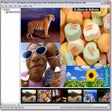
Digital photographs are full of information that we don't usually see, and JPEGsnoop can extract this for us.

Top Recommended Alternative

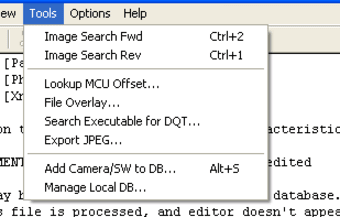
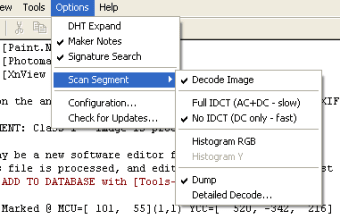
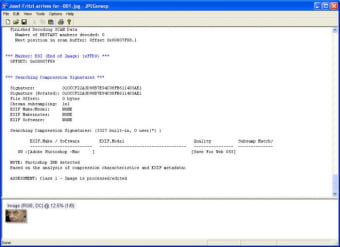
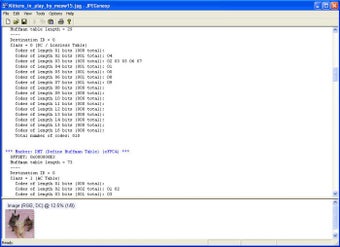
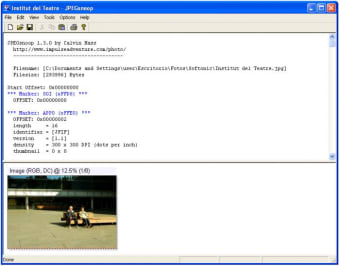
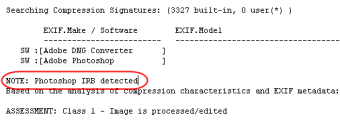
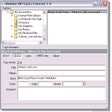
Much of this information is not interesting, but JPEGsnoop uses it to see whether a photo has been altered at all. Want to know if a picture has been retouched? This will tell you. Want to know what program was used to edit a picture? You can find that out too. All you have to do is click the open file button, choose the picture, and moments later you'll have a very lengthy analysis.

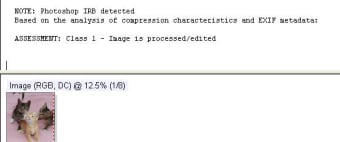
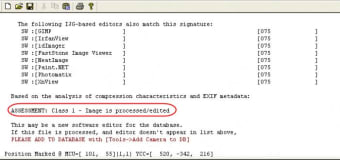
Scroll to the bottom to read the assessment, which will be graded from Class 1 (definitely processed/edited) to class 4 (uncertain if edited or original). Apparently it's difficult to be certain if a photo is "original", but easy to ascertain if it has been tampered with.

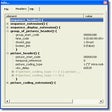
Of course, most digital pictures have been compressed at some point, and editing in Photoshop has more or less become a norm, but it's still interesting to look at. The image reports are too technical, and not presented in a very user friendly way, but the conclusions are clear enough.

JPEGsnoop is a powerful analyzer, and if you're interested in the origins of a digital photo it will give you a wealth of information.


  • Pros

    • Very detailed analysis
    • Easy to use
  • Cons

    • Some data is not explained
    • Only analyze one image at a time
 0/9

App specs

  • License

    Free

  • Version

    1.8.0
  • Latest update

  • Platform

    Windows

  • OS

    Windows 8

  • Language

    English

  • Downloads

    51.5K

    Last month's downloads

    • 119
  • Size

    1.50 MB

  • Developer

    • Calvin Hass

Program available in other languages


Icon of program: JPEGsnoop

JPEGsnoop for PC

  • Free
  • 3.4
    69
  • 51.5K
  • V1.8.0

User reviews about JPEGsnoop

Have you tried JPEGsnoop? Be the first to leave your opinion!

Add review

You may also like

Alternatives to JPEGsnoop

Explore Apps

Latest articles

Laws concerning the use of this software vary from country to country. We do not encourage or condone the use of this program if it is in violation of these laws.

Softonic

Is JPEGsnoop safe?

100/100

Score result: Clean

This file passed a comprehensive security scan using VirusTotal technology. It is safe to download.

  • Virus free
  • Spyware free
  • Malware free
  • Verified by Security Partners

    VirusTotal logo

Scan Info

Last scan
Wednesday, November 8, 2023
Scan provider
VirusTotal · Full report

File Integrity

File
JPEGsnoop_v1_8_0.zip
SHA256
c55db990ac1351b5298efc80950db689feca64637bde09ba0a6b1fd96bd7d238
SHA1
08ff6091a8aeefed97a22c7bb5a01013a1f810ce

Softonic security commitment

JPEGsnoop has been thoroughly scanned by our advanced security systems and verified by industry-leading partners. This file comes from the official developer and has passed all our security checks, showing no signs of viruses, malware, or spyware. For more information, visit our Security and Trust Center